









The 10 Best Productivity Apps for Students in 2026

Juggling classes, assignments, and a personal life often feels like a constant battle against the clock. The secret isn't just working harder-it's working smarter. A well-chosen digital toolkit can transform scattered study habits into a streamlined system for success, turning academic chaos into organized achievement.
This guide moves beyond generic app store lists to provide actionable insights. We'll dive deep into the best productivity apps for students, breaking down not just what they do, but how you can integrate them into your daily workflow for tangible results. You will find specific, practical examples for managing everything from complex lecture notes to collaborative group projects, helping you build a personalized productivity stack that saves time and reduces stress. Each recommendation includes key features, honest pros and cons, pricing, and direct links to get you started immediately.
We'll also demonstrate how to pair these powerful tools with your Uplyrn courses to maximize your learning and skill development. For students looking to take their efficiency to the next level, digital assistance offers even more sophisticated solutions. To further explore how digital assistance can enhance your learning journey, consider checking out the 12 Best AI Study Tool Options, which can complement traditional productivity apps. Let's build the system that will carry you through this semester and beyond.
Jump To Section

Earn As You Learn
Earn 25% commission when your network purchase Uplyrn courses or subscribe to our annual membership. It’s the best thing ever. Next to learning,
of course.
1. Microsoft Store (Education/Student Hub)
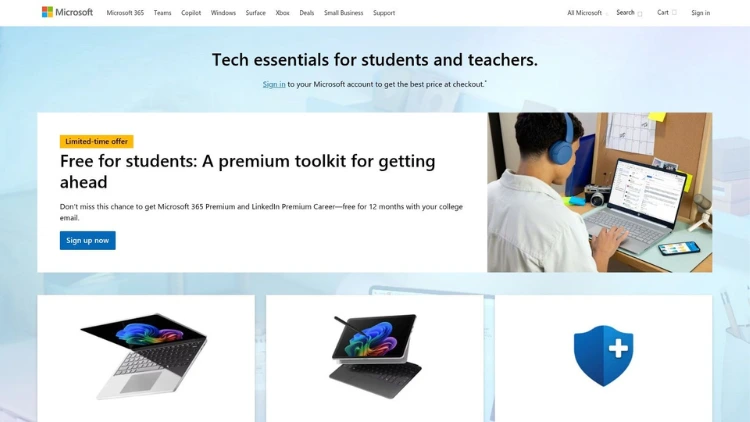
For students invested in the Windows ecosystem, the Microsoft Store and its dedicated Education hub serve as the official source for apps, hardware, and essential software. Beyond just being a marketplace, it provides a trusted environment for downloading verified applications and accessing exclusive student discounts on devices and Microsoft 365, making it a critical first stop for finding the best productivity apps for students on Windows.
Why It's a Top Resource
What sets the Microsoft Store apart is its role as a central, secure portal for the Windows experience. The Education hub is particularly valuable, offering student pricing on Surface devices and essential Microsoft 365 bundles that include Word, Excel, and OneNote. This integration ensures that the software and hardware are designed to work together seamlessly
- For example, buying a Surface device through the student hub often bundles it with a keyboard and pen, optimized for taking digital notes in OneNote right out of the box.
Practical Tips & Considerations
Actionable Insight: Always verify your student status through the portal before browsing. Many of the best deals and hardware bundles are hidden until your eligibility is confirmed, potentially unlocking significant savings on a new laptop or software suite.
- Pros: Official source with straightforward returns and warranty; frequent student device bundles and sales.
- Cons: Education discounts often exclude third-party digital apps; pricing and availability can vary by region.
- Pricing: Varies by product; student-specific discounts are available on select hardware and Microsoft 365 subscriptions.
- Website: www.microsoft.com/en-us/store/b/education
2. Microsoft 365 for Students
For millions of students, Microsoft 365 is the default ecosystem, often provided directly by their educational institution. This platform is the central hub for accessing essential tools like Word, Excel, PowerPoint, OneNote, and Teams. Many universities offer free or heavily discounted Office 365 Education plans, making it one of the most accessible and powerful resources for finding the best productivity apps for students without any extra cost. The integration between desktop apps, web versions, and 1 TB of OneDrive storage creates a cohesive environment for coursework.
Why It's a Top Resource
Microsoft 365 stands out due to its ubiquitous presence in academia and its deeply integrated suite of applications. The real power lies in the seamless collaboration features.
- For example, for a group project, you can co-author a PowerPoint presentation in real-time, store your research data in a shared Excel sheet on OneDrive, and coordinate all communication in a dedicated Microsoft Teams channel, keeping everything organized in one place.
Practical Tips & Considerations
Actionable Insight: Before paying for an Office subscription, always check the Microsoft Education site with your school email address. You may be eligible for a free A1 license, which includes web versions of all major apps and ample cloud storage.
- Pros: Often free through university verification; powerful, full-featured desktop apps; strong integration and industry-standard collaboration tools.
- Cons: Eligibility and app availability vary by institution; consumer pricing may apply after graduation or if a promo ends.
- Pricing: Often free for eligible students with a valid school email address; paid plans exist otherwise.
- Website: www.microsoft.com/en-us/education/students
3. Google Workspace (Docs, Sheets, Slides, Keep)
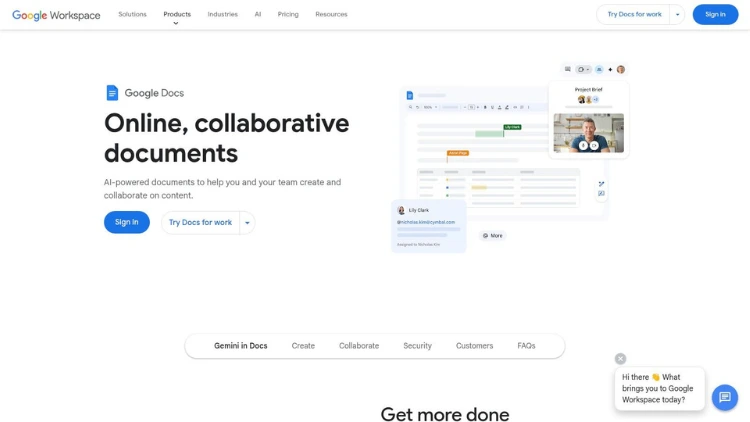
Google Workspace is the ubiquitous, cloud-native suite that many students already use, making it one of the best productivity apps for students by default. Its core components - Docs for essays, Sheets for data analysis, Slides for presentations, and Keep for quick notes, are all free and accessible from any device with a web browser. This cross-platform availability and zero-cost entry make it a non-negotiable tool for modern learning.
Why It's a Top Resource
What sets Workspace apart is its best-in-class real-time collaboration. The ability for multiple students to simultaneously edit a single document, spreadsheet, or presentation is unparalleled.
- A practical example is a group lab report: one student can write the introduction in Google Docs while another inputs data into an embedded Google Sheet, and a third adds comments with suggestions—all at the same time, from different locations.
Practical Tips & Considerations
Actionable Insight: Use the "Version history" feature in Docs to track changes and revert to earlier drafts of an essay. For group projects, this is invaluable for seeing who contributed what and for recovering accidentally deleted sections. Name key versions like "First Draft" or "Pre-Submission" to easily navigate your document's history.
- Pros: No-cost entry for personal accounts; seamless real-time collaboration with classmates; strong integration with Gmail, Calendar, and Drive.
- Cons: Some advanced AI or administrative features are paywalled; organization features require paid Workspace plans.
- Pricing: Free for personal use; paid tiers for businesses and institutions with advanced features.
- Website: https://www.google.com/docs/about/
4. Notion
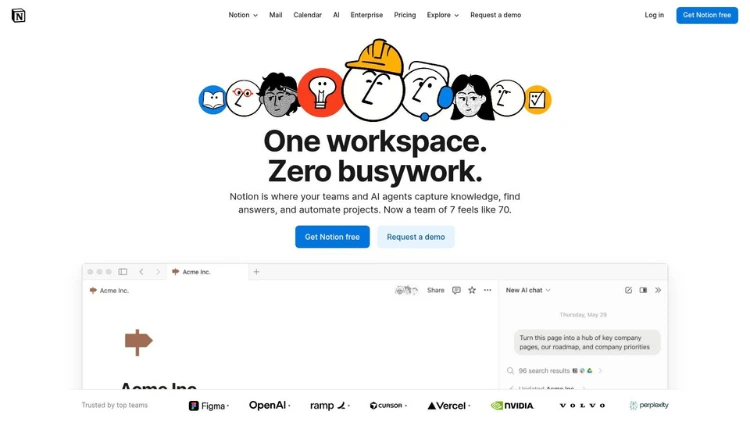
Notion is the ultimate all-in-one workspace that has become a student favorite for its sheer versatility. It masterfully combines notes, tasks, wikis, and databases into a single, customizable platform, making it one of the best productivity apps for students looking to consolidate their tools.
- For example, a student can create a master page for "Fall Semester" which contains separate pages for each course ("BIOL-101", "ENGL-203"). Inside each course page, they can embed a syllabus, create a database to track assignments with due dates, and write lecture notes.
Why It's a Top Resource
What sets Notion apart is its block-based system and powerful relational databases, allowing you to build exactly the system you need. Its massive community template ecosystem offers pre-built setups for everything from a spaced repetition study planner to a job application tracker. The generous education benefit, which gives students a free Plus Plan, removes any cost barrier to its most powerful features.
Practical Tips & Considerations
Actionable Insight: Start with a pre-made template from the Notion community gallery instead of building from scratch. Search for a "University Hub" or "Class Notes" template to quickly set up a powerful system without getting lost in the customization options. This gives you a functional dashboard on day one.
- Pros: Highly customizable to replace multiple apps; large student-focused template ecosystem; free Plus plan available for students and educators.
- Cons: Can have a steep learning curve for advanced features like databases and relations; the AI add-on and team plans can become costly.
- Pricing: Free personal plan; Plus Plan is free for students/educators with a valid .edu email (verification required).
- Website: https://www.notion.so
5. Todoist
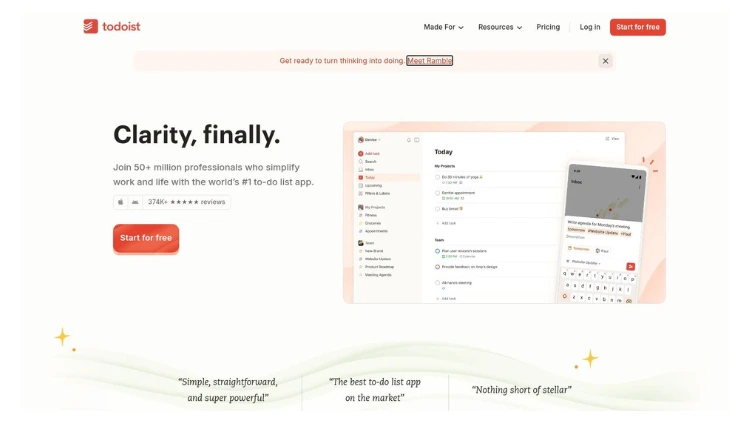
For students who need a straightforward yet powerful task manager, Todoist is an exceptional choice among the best productivity apps for students. Its clean interface and brilliant natural-language input let you add tasks like "Submit history essay next Friday at 5pm" and it automatically schedules the deadline. This simplicity makes it easy to capture every assignment, reading, and deadline without friction, keeping your academic life organized across all your devices.
Why It's a Top Resource
Todoist excels at turning chaos into a clear, actionable plan.
- For example, you can create a "Project" for each of your classes. For a major research paper, you can create a parent task like "Write History Thesis" and add sub-tasks: "1. Finalize topic", "2. Find 10 sources", "3. Outline paper", each with its own due date. This breaks a daunting project into manageable steps and helps you learn how to overcome procrastination.
Practical Tips & Considerations
Actionable Insight: Use labels like @urgent or @low-energy to filter your tasks based on priority or your current mental state. This helps you decide what to work on when you only have a short 20-minute study break versus a full afternoon.
- Pros: Fast and reliable cross-platform syncing; powerful natural language input; excellent for recurring tasks and daily planning.
- Cons: Key features like custom reminders and advanced filters are locked behind the Pro plan; recent price increases may be a factor for new users.
- Pricing: Free tier available; Pro plan with advanced features costs around $4/month (billed annually).
- Website: https://todoist.com
6. Evernote
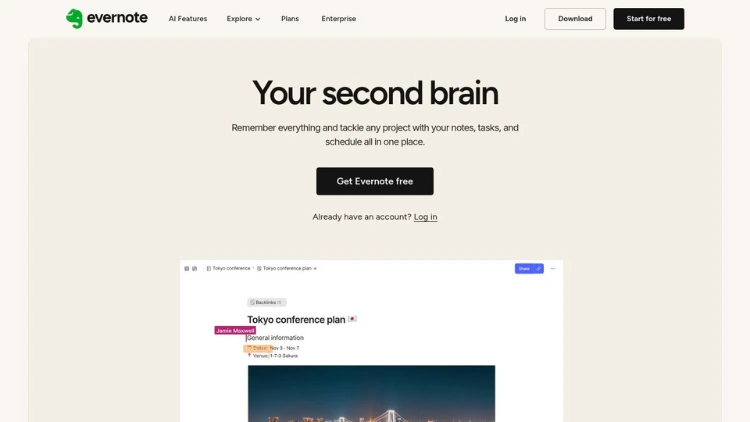
Evernote is a veteran in the digital note-taking space, functioning as a powerful digital filing cabinet for all your academic materials. Its strength lies in capturing and organizing information from anywhere, making it one of the best productivity apps for students handling heavy research loads.
- For instance, you can take a photo of a whiteboard with lecture notes, clip a research article from a website, and record a professor's audio explanation, storing them all in a single note for your "Psychology Midterm" study guide.
Why It's a Top Resource
What sets Evernote apart is its robust web clipper and search functionality, which can even find text within images and PDFs. This makes it invaluable for compiling research from various sources. The reliable multi-device sync ensures your lecture notes, research articles, and project plans are always accessible, whether you're on your laptop in the library or your phone on the go. This level of organization is crucial for effective time management.
Practical Tips & Considerations
Actionable Insight: Use a consistent tagging system from day one. For example, tag notes with your course code (e.g., #BIOL101), assignment type (#Essay), and status (#InProgress). This creates a searchable, cross-notebook database of all your work, so you can instantly find all materials related to a specific exam.
- Pros: Powerful web clipping and organizational tools; mature ecosystem with reliable multi-device sync.
- Cons: Pricing has increased and advanced features are paywalled; recent plan changes can be confusing.
- Pricing: Offers a free plan with limitations; paid plans (Personal, Professional) unlock more features and storage.
- Website: https://evernote.com
7. Trello
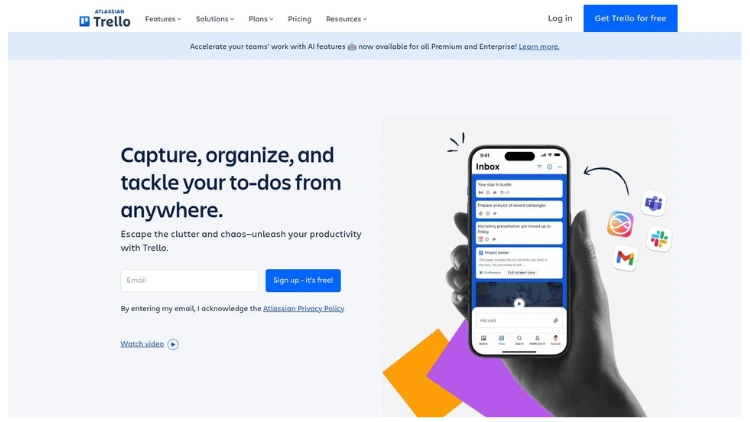
For students managing group projects or complex academic timelines, Trello offers a visual and intuitive way to organize tasks. Its Kanban-style board system allows you to track progress from "To Do" to "Done", making it one of the best productivity apps for students working in teams.
- A practical example: a group could create a Trello board for a final presentation with lists for "Research", "Slide Creation", "Script Writing" and "Rehearsal". Each task is a card that can be assigned to a team member and moved across the board as it's completed.
Why It's a Top Resource
Trello excels in visual project management, making abstract workflows tangible and easy to follow. You can add checklists, due dates, attachments, and comments to each card, keeping all relevant information in one place. Power-Ups add extra functionality, allowing you to build a system that supports your specific study habits. This visual approach is a powerful tool to improve your study habits by breaking down large goals into manageable steps.
Practical Tips & Considerations
Actionable Insight: Use Butler, Trello’s built-in automation tool, to create rules. For example, you can set a rule to automatically add a "Review with Professor" checklist to any card moved into the "Draft Complete" list, ensuring you never miss a crucial step.
- Pros: Simple, visual project tracking adaptable to any subject; free single-board guests help keep classroom costs down; intuitive interface is easy to learn.
- Cons: Premium features (dashboards, timeline, advanced automation) require paid plans; can become cluttered without consistent organization.
- Pricing: A robust free tier is available; paid plans (Standard, Premium) unlock advanced features like more views and unlimited automation.
- Website: https://trello.com
8. Grammarly
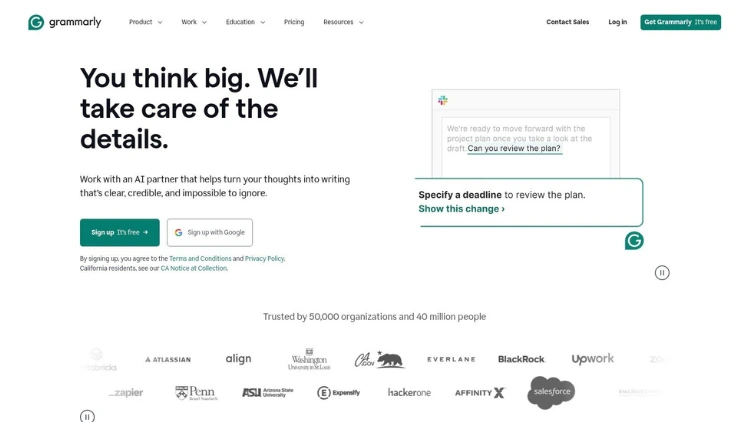
For students, clear and professional writing is non-negotiable, and Grammarly serves as an indispensable AI-powered writing assistant. It goes far beyond a simple spell-check, offering real-time feedback on grammar, clarity, conciseness, and tone.
- For example, while writing an email to a professor, Grammarly might suggest changing "I wanna ask" to the more formal "I would like to inquire" helping you maintain a professional tone. For an essay, it can flag a long, convoluted sentence and suggest splitting it into two clearer ones.
Why It's a Top Resource
What makes Grammarly stand out is its ability to not just correct mistakes but to teach you how to become a better writer. The platform provides detailed explanations for its suggestions, helping you understand the rules behind them. Its deep integration with tools like Google Docs and Microsoft Word means you get consistent support directly within your existing workflow.
Practical Tips & Considerations
Actionable Insight: Use the "Set goals" feature before you start writing. Specifying your audience (e.g., Expert), formality (e.g., Formal), and intent (e.g., Inform) tailors Grammarly's suggestions to match the specific requirements of your academic assignment, giving you more relevant feedback.
- Pros: Excellent real-time feedback for native and non-native English speakers; integrates with most writing platforms and tools.
- Cons: The most powerful features (like plagiarism detection and advanced suggestions) require a paid Premium subscription.
- Pricing: Free basic version; Premium plans for individuals start at around $12/month when billed annually, with periodic educational discounts.
- Website: www.grammarly.com
9. Setapp
For Mac and iOS-centric students, Setapp offers a unique "app buffet" model, providing access to a curated library of over 240 premium applications for a single monthly fee. Instead of purchasing multiple licenses for different tools, students can explore a vast collection of the best productivity apps for students.
- For example, instead of buying a separate mind-mapping app for $30, a PDF editor for $50, and a focus timer for $20, a student can get all three and hundreds more through a single Setapp subscription, often for less than the cost of two individual apps.
Why It's a Top Resource
Setapp's value lies in its high-quality curation and cost-effectiveness. The platform screens every app for quality and security, removing the guesswork of finding reliable software. For students who need specialized tools for tasks like mind mapping, PDF editing, and coding, the subscription can be far cheaper than buying each app individually. Many apps included are perfect for academic work.
Practical Tips & Considerations
Actionable Insight: Use the 7-day free trial to identify at least three or four paid apps you would genuinely use. A good starting point could be MindNode (for brainstorming), PDFpen (for annotating research papers), and Paste (for an advanced clipboard manager). If their combined cost exceeds the Setapp subscription price, it's a worthwhile investment.
- Pros: Excellent value for students who need multiple paid utilities; apps are screened for quality and security; single, simple billing.
- Cons: Mac/iOS centric with limited value for Windows or Android users; some education discounts require verification or annual payment.
- Pricing: Offers a 50% educational discount; a 7-day free trial is available.
- Website: setapp.com
10. Zotero
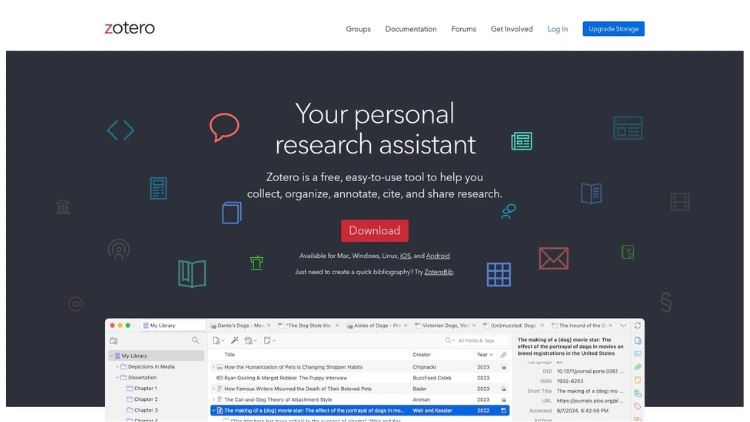
For students tackling research papers, theses, or any project requiring extensive citations, Zotero is a must-have open-source tool. It excels at helping you collect, organize, cite, and share research sources effortlessly. With a powerful browser connector, you can save articles, books, and web pages directly into your library with a single click, making it one of the best productivity apps for students focused on academic writing.
Why It's a Top Resource
Zotero's strength lies in its robust, free, and community-driven nature.
- A prime example of its power: while writing a 15-page paper in Microsoft Word, you can simply insert placeholders for your citations as you go. When finished, you click one button in the Zotero toolbar, select "APA 7th Edition", and Zotero instantly formats all your in-text citations and generates a perfect bibliography at the end of your document.
Practical Tips & Considerations
Actionable Insight: Install the Zotero Connector for your browser. When you find a useful source online—like a journal article in a database or a news story—click the Zotero icon in your toolbar to instantly save its full metadata, and if available, the PDF, into your library.
- Pros: Completely free core app; powerful academic citation features; privacy-focused and open-source.
- Cons: The interface can feel dated and less intuitive for beginners; cloud storage for attached files requires a paid subscription after the free 300 MB limit.
- Pricing: Free for unlimited metadata storage. Paid plans for file syncing start at $20/year for 2 GB.
- Website: https://www.zotero.org
From App Overload to Academic Advantage: Your Next Steps
Navigating the digital landscape of student tools can feel overwhelming. We've explored a powerful suite of applications, from the comprehensive ecosystems of Google Workspace and Microsoft 365 to specialized powerhouses like Notion for note-taking and Zotero for research management. The goal isn't to master every single one; it's to strategically select the ones that solve your most significant academic challenges. The true key to unlocking your potential lies not in the apps themselves, but in the systems you build around them.
The best productivity apps for students are ultimately the ones you use consistently. A sophisticated tool like Trello is useless if you never update its boards, and a powerful task manager like Todoist only works if you commit to processing your inbox daily. True academic efficiency is born from habit, not from simply downloading more software.
How to Build Your Personal Productivity Stack
Instead of adopting every tool at once, which leads to burnout, focus on a methodical approach. Start by pinpointing your primary area of friction.
- If you struggle with disorganization: Your starting point should be a central "brain" for your notes and ideas. Notion or Evernote are excellent choices. Spend a week migrating your class notes and project plans into one of these platforms to create a single source of truth.
- If deadlines constantly sneak up on you: A dedicated task manager is non-negotiable. Todoist is perfect for this. Begin by inputting all your syllabus due dates for one course. Set reminders for three days before each deadline to build the habit of staying ahead.
- If your research process is chaotic: Stop wrestling with citations and PDFs manually. Installing a reference manager like Zotero is your first, most critical step. Create a new library for your next research paper and practice adding five sources using its browser connector. This small action will save you hours later.
Turning Tools into Lasting Habits
Implementation is where the real work begins. To ensure these apps become a seamless part of your workflow, consider these actionable insights. First, schedule a weekly review. Set aside 30 minutes every Sunday to organize your notes in Notion, plan your upcoming week in Todoist, and clean up your digital files. This recurring appointment transforms productivity from an afterthought into a deliberate practice.
Second, integrate these tools with your existing study routines. For instance, when you begin a study session for an Uplyrn course, open your chosen note-taking app immediately. As you watch a video lecture or work through a module, actively synthesize the information in your own words. This practice of "active recall" not only improves retention but also makes your notes infinitely more valuable for exam preparation. By tying app usage directly to your core academic activities, you build powerful, lasting habits.
You now have a curated list and a clear strategy. The journey from digital clutter to academic clarity begins not with downloading a dozen apps, but with choosing one, committing to it, and integrating it purposefully into your student life. This focused approach is the most effective way to leverage technology, turning potential distractions into your greatest academic advantage.
Ready to pair your new productivity system with world-class learning? The most powerful tools are even more effective when applied to high-quality educational content. Explore the expert-led courses and personalized mentoring at Uplyrn to build the skills you need for your future career. Visit Uplyrn to discover how we can help you apply these productivity strategies to achieve your learning goals today.


Leave your thoughts here...
All Comments
Reply