








How to Learn UI UX Design: A Practical Guide for 2026
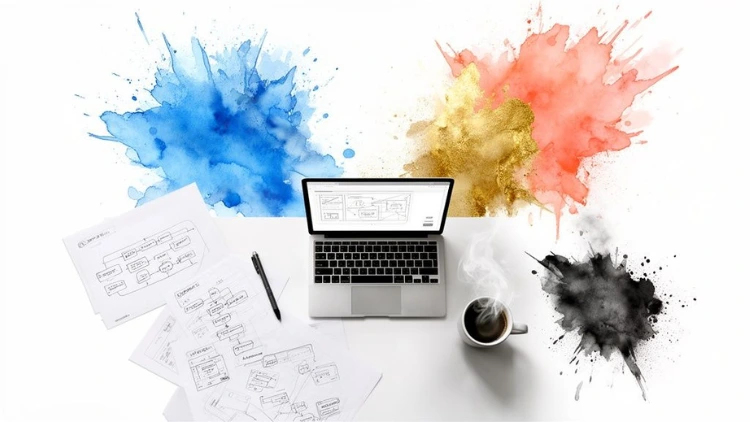
Learning UI/UX design is more than just a creative hobby—it's a path that blends artistry with sharp, analytical problem-solving. The best way to get there? Master the core principles, get your hands dirty with industry-standard tools like Figma, and build a portfolio of case studies that prove you can solve real user problems.
Jump To Section

Earn As You Learn
Earn 25% commission when your network purchase Uplyrn courses or subscribe to our annual membership. It’s the best thing ever. Next to learning,
of course.
Why a Career in UI/UX Design Makes Sense
Before we jump into the "how-to", let’s talk about the why. Why is this field such a smart career move right now? It’s not just about making apps look pretty. It’s about becoming a crucial business asset who can untangle complex user problems and directly fuel a company's growth.
These days, every industry, from healthcare to finance, is pouring money into user experience. They’ve finally realized that a clunky, confusing digital product doesn't just annoy people—it loses them money. This shift has kicked the door wide open for skilled designers who can act as the bridge between what users need and what the business wants to achieve.
The Business Impact of Good Design
Let's look at a classic real-world example: Airbnb. In their early days, the company was really struggling to get bookings. Their team made a simple but brilliant design change: they replaced the generic "save to a wishlist" star with a simple heart icon. The result? A staggering 30% increase in user engagement.
That wasn't just a cosmetic tweak. It was a strategic UX decision that made the platform more intuitive and emotionally resonant, which directly boosted their bottom line. This is the kind of power you'll have as a UI/UX designer. Your work can literally change user behavior, skyrocket customer satisfaction, and generate serious revenue.
- Actionable Insight: Look at an app you use daily. Can you spot one small change—an icon, a button label, a menu option—that, if improved, would make the experience significantly better? Documenting these small observations is a great way to start thinking like a UX designer.
A Rapidly Expanding Industry
The demand for these skills is written all over the market's explosive growth. The global UX design market was valued at $7.8 billion in 2022 and is on a trajectory to hit an incredible $18.5 billion by 2030. That kind of expansion screams one thing: a clear, sustained need for qualified designers.
As you start out, it's also smart to keep one eye on the horizon. Staying up-to-date by monitoring future trends in technology and design will make sure your skills stay sharp and in-demand for years.
Ultimately, deciding to learn UI/UX design in 2026 means stepping into a career with incredible stability and a real chance to make a tangible impact.
Building Your Foundation in UX Principles
Before you even think about pixels or fancy software, you need to get one thing straight: great design is all about understanding people. Forget memorizing dry definitions for a moment. To truly succeed, you have to build a solid foundation in User Experience (UX) principles, which is really just a fancy way of saying you need to learn how to solve problems for actual humans.
It all kicks off with user research. This isn't some high-budget, corporate-only activity. Honestly, some of the most powerful insights come from simply talking to people and watching how they interact with the world around them.
Turning Research into Actionable Insights
So you’ve talked to a few people and have a messy pile of notes. Now what? The next job is to transform that raw data into something you can actually use to guide your designs. This is where tools like user personas and journey maps come into play.
A user persona isn't just a bland demographic profile. It’s a fictional character you build to represent your target audience. Think of it as creating a story. Instead of "Female, 35-45", you create "Sarah, a 38-year-old busy working mom who needs a quick, reliable way to order healthy groceries online but gets overwhelmed by complicated apps." See the difference?
A well-crafted persona makes your user feel real. It becomes a constant gut-check for your design decisions, forcing you to ask: "Would Sarah understand this?" or "Does this feature actually solve Sarah's problem?"
Once you have Sarah in mind, you can map out her user journey. This is just a visualization of the steps she takes to achieve her goal. For a practical example, mapping her grocery ordering experience might reveal a critical pain point: the checkout process requires five separate screens, causing her to abandon her cart in frustration. Boom. You now have a clear, specific problem to solve.
If you want to go a bit deeper on these core ideas, check out this guide on what user experience design truly is.
Conducting Your First User Interview
Talking to users can feel a little intimidating at first, but having a simple script makes it much easier. The real secret is asking open-ended questions that get people talking, not just giving you "yes" or "no" answers.
Here’s a practical script you can tweak and make your own:
- "Tell me about the last time you tried to book a flight on your phone."
- "What was the most frustrating part of that for you? And why was it so frustrating?"
- "Can you walk me through how you handle that problem right now?"
- "If you had a magic wand, what would the perfect solution look like for you?"
Actionable Insight: Record your interviews (with permission!). Listening back allows you to catch nuances in tone and hesitation that you might miss while taking notes. These subtle cues often point to the biggest user frustrations.
Mastering the Essential Tools for UI Design
Alright, you’ve wrapped your head around the core UX principles. Now for the fun part: turning all that research and those brilliant ideas into something people can actually see and interact with. This is where UI design tools enter the picture, and getting good at one isn't just a suggestion—it's essential.
Think of these tools as your digital workshop. It’s where your wireframes, mockups, and prototypes will be born. And while there are a few options out there, the industry has pretty much picked a winner.
Right now, Figma completely dominates the market, holding a staggering 72% share for wireframing and prototyping. For anyone looking to get a job in this field, learning Figma isn't just a good idea; it's the most direct path forward.
Your First Steps From Wireframe to Prototype
Jumping into a powerful tool like Figma can feel a little overwhelming, but don't try to learn every single feature at once. Instead, just focus on the core workflow that every designer uses to bring an idea to life.
A perfect first exercise is to design a simple feature—let's say, a "Discovery" page for a new music app. You'll start by creating low-fidelity wireframes. These are just basic blueprints, focusing purely on layout and structure. No colors, no fancy fonts. Just getting the bones right.
- Actionable Insight: Seriously, just use grey boxes and placeholder text. For your music app discovery page, this means a large rectangle at the top for a banner, a smaller rectangle for a search bar, and a grid of squares below for album art. Your only goal here is to quickly figure out where things go.
Once you’re happy with the structure, it’s time to move into high-fidelity mockups. This is where you start applying your visual design skills—you'll add the color palette, typography, and actual images. You’re essentially creating the final "look" of the music discovery page, making it both beautiful and easy to use.
But here’s where the real magic happens: turning those static screens into an interactive prototype. By simply linking your screens together in Figma, you can build a clickable version of your design. A user could tap the "Rock" genre button and instantly be taken to a new screen showing rock artists. This is absolutely critical for user testing and for showing clients or stakeholders how the app will actually feel.
It's an investment that pays off, big time. Industry research shows that for every $1 invested in good UX, the return can be as high as $100. That’s a mind-blowing 9,900% ROI.
Understanding Design Systems and Components
As you get more comfortable, you’ll start hearing about something called a design system. It’s a game-changing concept. Put simply, a design system is a library of reusable components and clear guidelines that can be used to build products consistently and at scale. Think of it as a master set of LEGO bricks for designers.
For example, instead of drawing a new button every single time, you'd create a "primary button" component. This master component has defined properties: a specific hex code for its color (#4F46E5), a font size (16px), and a corner radius (8px).
You can then reuse that button component everywhere in your app. The best part? If you need to change the button color across the entire product, you just edit the master component once. Every single instance of that button will update automatically. This approach is the key to maintaining consistency and it saves an incredible amount of time.
If you're ready to really get into the weeds with this, this guide on digital design course covers components, design systems, and prototyping in much greater detail.
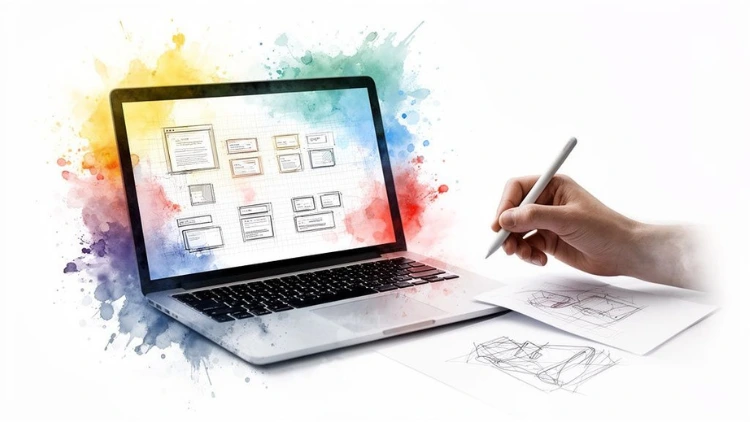
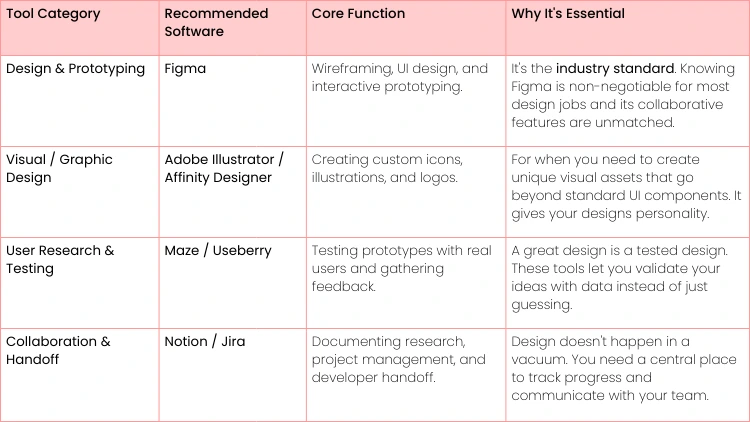
Building a Portfolio That Gets You Hired
Your portfolio is the single most important thing you'll build as a new designer. It’s not just a gallery of pretty screens; it's your professional story, proving how you think, solve real problems, and ultimately, create value.
Forget what you’ve heard about just showing off finished designs. A portfolio that actually gets you hired is built on compelling case studies.
Hiring managers spend, on average, less than three minutes looking at a portfolio. That’s it. In that tiny window, your projects have to scream "I know what I'm doing." You need to show them your entire design process, from the first messy idea to the final polished product. This is how you prove you're ready to contribute from day one.
From Blank Canvas to Compelling Case Study
The biggest rookie mistake is only showing the final, pixel-perfect UI. That tells a recruiter almost nothing about your actual skills. A powerful case study, on the other hand, walks them through your entire journey, turning a practice project into a believable, professional narrative.
Here’s a practical structure that always works:
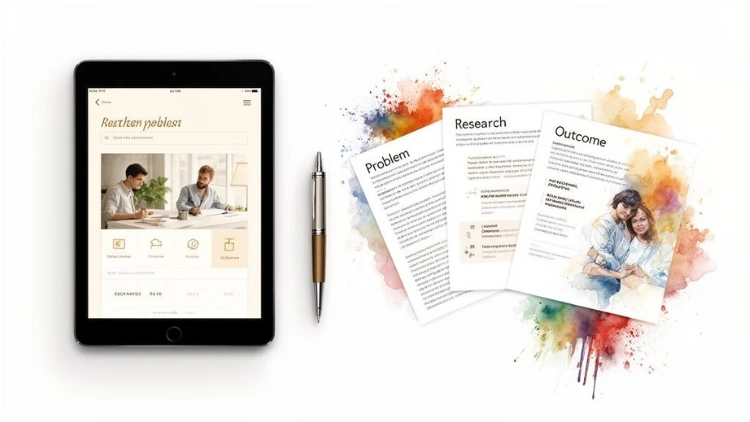
- The Problem & Your Role: Start with a clear problem statement.
- Example: "Users of the CityRoam transit app find it difficult to plan multi-stop journeys, leading to frustration and lower app usage." State your role (e.g., "Lead UX/UI Designer").
- Research & Discovery: This is where you show your work. Include key insights from user interviews, highlight your personas, or show a journey map that pinpointed the real pain point. It proves you don’t just jump straight into Figma.
- Ideation & Design: Start with your messy, low-fidelity wireframes and explain the big-picture decisions you made based on that research. Then, you can show off your high-fidelity mockups, explaining your reasoning for the colors, fonts, and layout.
- Prototyping & Testing: Always include a link to an interactive prototype. Briefly talk about how you tested it and what you learned.
- Example: "Initial testing showed users struggled to find the 'Add Stop' button. I iterated on the design, making the icon larger and moving it to a more prominent location, which improved task success by 40%."
- The Solution & Reflections: Present your final, polished designs. And this is crucial: reflect on the project. What was the biggest challenge you faced? What would you do differently next time?
Actionable Insight: The goal of your portfolio isn't to prove you're perfect; it's to prove you're a thoughtful problem-solver. A case study that shows you found a flaw in your own design and fixed it is far more impressive than a flawless but superficial project.
Real-World Project Briefs to Get You Started
You don't need to wait for a "real" client to create an amazing project. Recruiters see conceptual work all the time; they just want to see how you think. Grab one of these briefs and treat it like a paid gig.
Project Brief 1: E-commerce Checkout Redesign
- The Scenario: A local bookstore's website is losing sales because its checkout process is confusing and feels untrustworthy. Cart abandonment is high.
- Your Task: Redesign the clunky, multi-step checkout into a seamless, single-page experience. Your mission is to reduce friction, build trust, and get people to click "buy".
- Actionable Tip: Start by creating a user journey map of the current checkout process. This will visually pinpoint exactly where users are dropping off and give you a powerful "before" picture for your case study.
Project Brief 2: Fitness App Wellness Feature
- The Scenario: A popular fitness app is all about high-intensity workouts but has nothing for mental wellness or recovery.
- Your Task: Design a new feature for mood tracking, meditation sessions, and guided breathing exercises. The challenge is making it feel like it belongs in the app’s existing energetic brand.
- Actionable Tip: Develop two different user personas—maybe a high-performance athlete and someone totally new to fitness. Then, show how your design meets the distinct needs of both.
Project Brief 3: Public Transit Companion App
- The Scenario: Your city’s transit app is purely functional—it shows schedules and routes, but that's it. It does nothing to help riders feel safer or more comfortable.
- Your Task: Design a "Companion" feature that adds real-time safety alerts, shows how crowded train cars are, and includes a one-tap contact button for transit authorities.
- Actionable Tip: Sketch out the user flows for three key moments: a rider checking crowd levels before their train arrives, a rider reporting a safety issue, and a rider getting an alert about a station delay. Detailing these small interactions shows you’ve thought through the whole experience.
Completing just two or three of these projects will give you more than enough great material for a portfolio that stands out. You can also get ideas by checking out the best crowdsourcing design platforms to see the kinds of problems actual businesses are trying to solve right now.
Navigating the Job Market and Landing Your First Role
So, you've poured your heart and soul into building a polished portfolio. That’s a huge milestone, but it's really the ticket to the game, not the final winning point. Now comes the part where we turn all that hard work into an actual job offer.
The market for junior designers can feel a bit like rush hour traffic—crowded and competitive. But there's good news. Even with some economic bumps in the road, the U.S. Bureau of Labor Statistics is still projecting a seriously strong 16% growth for digital design roles between 2021 and 2031. That's way faster than most other jobs.
The real challenge isn't a lack of opportunity; it's learning how to stand out when everyone is applying for the same entry-level roles.
Tailor Your Applications and Stand Out
Let’s be honest: hitting that "Easy Apply" button on a hundred listings is a fast track to getting your application buried in a digital black hole. You have to be more strategic.
Try treating each application like a mini-project. Really dig into the company. What does their product do? Who are their users? See if you can spot a potential pain point or an area for improvement.
Then, tweak your resume and write a cover letter that speaks their language. Mention their product by name. You could even briefly suggest how your skills—say, in user journey mapping—could sharpen their customer onboarding process. This shows you're not just looking for any job; you're already thinking about how to help them.
- Actionable Insight: Don’t just drop a link to your whole portfolio and hope for the best. Send them a direct link to the one specific case study that’s most relevant to their company and the role. For example, if applying to a fitness app, send the link to your "Wellness Feature" case study. It removes a step for the hiring manager and shows you're a perfect fit right away.
Network Authentically on LinkedIn
Your LinkedIn profile is your professional storefront, not just a list of past jobs. Your headline and summary are the first things recruiters see, so they have to grab their attention. To make a real impact, it pays to learn how to create compelling LinkedIn summaries that win recruiters and get you noticed.
And please, don't be that person who sends generic connection requests. True networking is about building relationships.
Start by genuinely engaging with people. Follow designers and hiring managers at companies you’d love to work for. When they post something, leave a thoughtful comment that adds to the conversation. Share their work and add your own take. This positions you as someone who is curious, engaged, and part of the community.
When you're ready to reach out for a connection, make it personal. Here is a practical example of a connection request:
"Hi [Name], I was really impressed by the case study you shared on the [Company Name] blog about redesigning your checkout flow. I'm an aspiring UX designer focusing on e-commerce, and I'd love to connect and follow your work."
This approach builds real rapport, not just a bigger number of connections.
Finally, remember that interviews are a conversation, not an interrogation. To walk in feeling ready and confident, check out this complete guide on how to prepare for job interviews and nail every discussion.
Your Top UI/UX Questions, Answered
Alright, even with a solid plan in hand, you've probably got a few questions buzzing around. It's totally normal. Starting a new career path is a huge step, so let's clear the air and tackle some of the big questions we hear all the time from new designers.
Do I Really Need a Degree to Get a Job?
This is the big one, and the answer is a firm no. While having a related degree in something like psychology or graphic design can give you a bit of a head start, it’s absolutely not a deal-breaker. There are incredible designers from all sorts of backgrounds—from marketing to teaching.
What truly matters to hiring managers is your skill, and more importantly, your portfolio. A fantastic portfolio showcasing 2-3 polished case studies is far more powerful than any diploma. It's tangible proof that you can identify a problem, think through a solution, and actually design it. That’s the job.
Seriously, How Long Will This Take?
There's no single magic number, but if you're focused and consistent, you can realistically be job-ready in about 6 to 12 months.
What does that time look like in practice?
- Months 1-2: Focus on theory. Read books like Don't Make Me Think and take an introductory course on UX principles.
- Months 3-5: Dive into Figma. Follow tutorials and start your first conceptual project, like redesigning a local coffee shop's app.
- Months 6-9: Build your main portfolio pieces. Conduct user interviews, create wireframes, and build interactive prototypes for two solid case studies.
- Months 10-12: Refine your portfolio, tailor your resume and LinkedIn, and start applying for jobs.
Actionable Insight: You can't just binge-watch tutorials and expect to grow. You have to get your hands dirty and actually design things, even if it’s just for an hour a day. Consistency is what builds skill.
Should I Bother Learning to Code?
You don't need to be a coding wizard, but having some basic knowledge is a massive advantage. We're not saying you need to become a developer, but understanding the basics of HTML and CSS will set you apart.
Why? Because it helps you design things that can actually be built. For a practical example, knowing that creating a complex, overlapping animated gradient might be difficult in CSS will lead you to propose simpler, more feasible solutions. It bridges the gap between your design vision and the technical reality, which makes collaboration with your engineering team a thousand times smoother.
What's the Real Difference Between UI and UX?
They're often lumped together, but they are two very different sides of the same coin. They need each other to create a great product.
Imagine you're building a house. User Experience (UX) is the architect. The UX designer figures out the blueprint—how many rooms, where the doors and windows go for the best flow, and how the family will actually live in the space. It’s all about research, logic, and making the house functional and easy to navigate.
User Interface (UI) is the interior designer. The UI designer comes in and chooses the paint colors, the light fixtures, the furniture, and the textures. They focus on making the house visually beautiful, cohesive, and enjoyable to be in. UI is what you see and interact with—the buttons, colors, and typography.
As you start your job search, your portfolio is what gets your foot in the door. After that, acing the interview becomes your next big challenge. Knowing how to also prepare for a video interview and win the job is a skill in itself and essential for making that final leap into your first role.
Ready to stop just reading and start doing? At Uplyrn, we provide the expert-led courses and mentorship you need to go from beginner to job-ready. Build your portfolio and kickstart your design career with us today.


Leave your thoughts here...
All Comments
Reply